🏫 Assets for Schools 🏫
Assets is a great choice for managing assets at educational facilities! Assets can streamline loaner devices, the management of communal devices, and help track dates of services and updates for key hardware such as fire extinguishers, lab kits, and more!
Loaner Laptops
Loaner laptops can be easily and quickly managed within the Assets asset register by creating an action to check out a laptop to an individual user. This allows IT staff to simply fill in the laptop user's name and then scan the barcode to 'assign' them the laptop for the day.
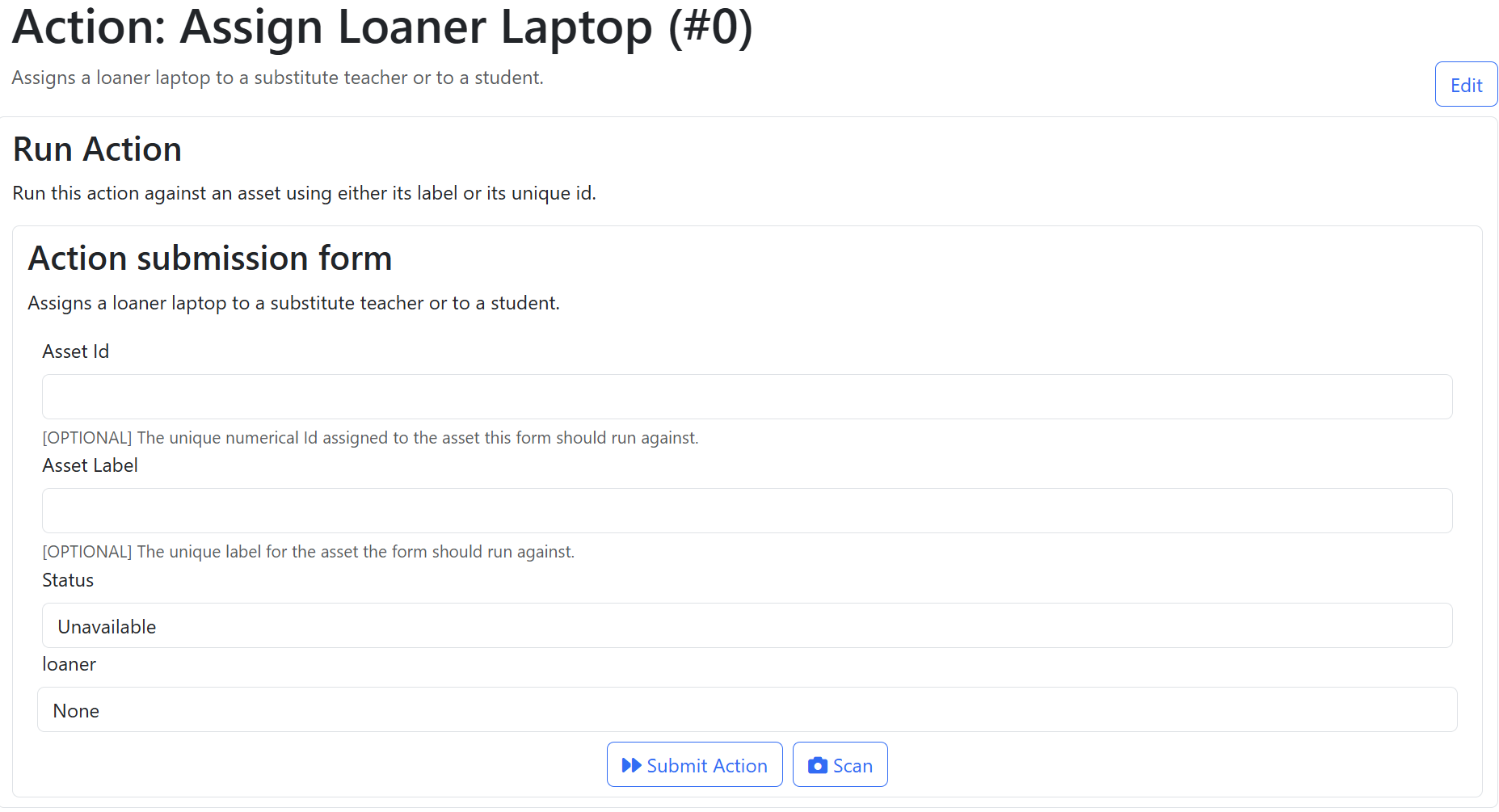
Using the above form, IT staff can fill in the status using a drop-down to either 'Unavailable' or 'Available', and set the 'loaner' field to the name or email address of the substitute teacher or loaner student. IT staff can then either manually enter the 'Asset Label' field, or tap on 'Scan' and scan the barcode or QR code for the asset to complete the action.
For more information about actions, including how to configure them to email reminders, view our documentation page on Actions 🔗.
Track Anything and Everything
As an asset register, Assets is well suited to track every object that your school secures. This can include keys and access cards, vehicles, laptops and servers, projectors, lab kits, as well as trolleys of sports equipment.
Schools with communal keys or shared key boards, or any kind of communal checkout of items, can simplify the management of checkout using actions. Within Assets, an action can be created for the key board, laptop trolley bay, or any other communal area. This action can be configured to allow users to select the item they wish to checkout from the bay similar to the example above.
Once the action is set up, a QR code linking to the action can be placed on the door or wall, and teachers or students checking out the asset can process the action by selecting the asset in the form or scanning the barcode on the asset.
Tracking Service Dates
Assets can be used to track important dates using asset metadata or by using reminders configured within an action.
Within your organisation, you can create shared mailing groups such as 'lab-reminders@your-educational-domain' or 'service-reminders@your-school'. Using actions within Assets, reminders for key dates such as inspection and replacement dates for fire extinguishers and service dates for vehicles.