🐰 Features 🥕
-
Simplicity
We want Assets to be simple to use.Features
-
Usability
We want Assets to be powerful enough to meet all use cases.
Simplicity
Assets has been designed to be simple, but powerful.
User Interface
The user interface is intuitive and the core features of Assets are readily accessible. The following screenshot shows the user interface on a desktop browser; each core feature of assets has a dedicated pane that is simple to use and understand.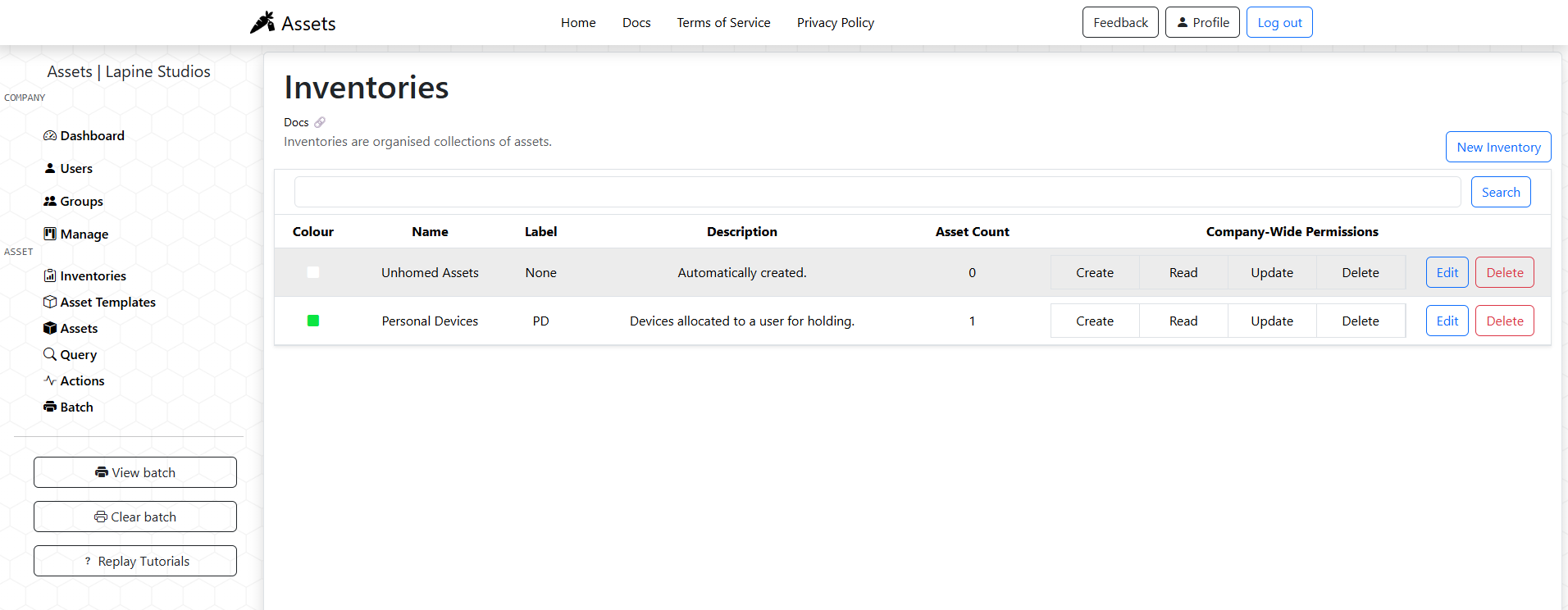
Asset Organisation Structure
At the core of Assets is the asset organisation model. The asset organisation model is a simple way to structure any asset register with simple, powerful building blocks.Assets Organisation Model
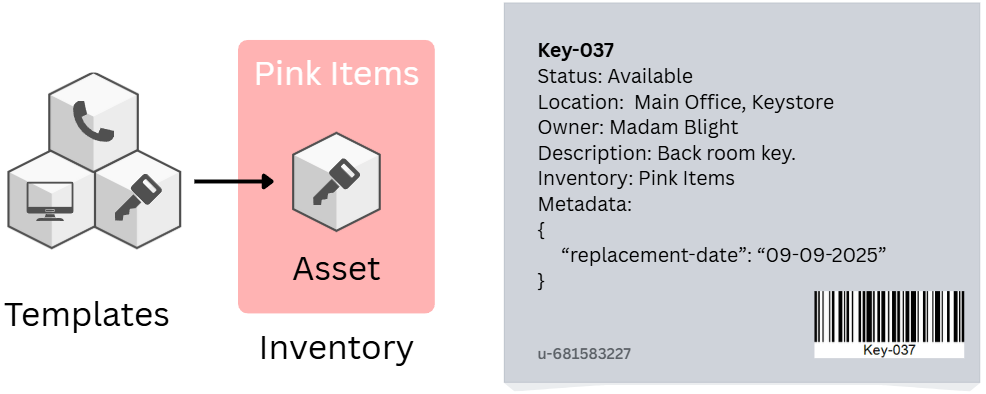
Usability
Assets has been designed to fulfil the use cases we could think of. If you have additional use cases for assets, please reach out and we can integrate them.
Securable Permission Model
Access to assets, and the ability to create, read, update, or delete them is controlled through a combination of roles and group-based permissions. Assets within Assets are secured at the inventory level. Additional information can be found within our documentation on access control 🔗.
Automated Actions
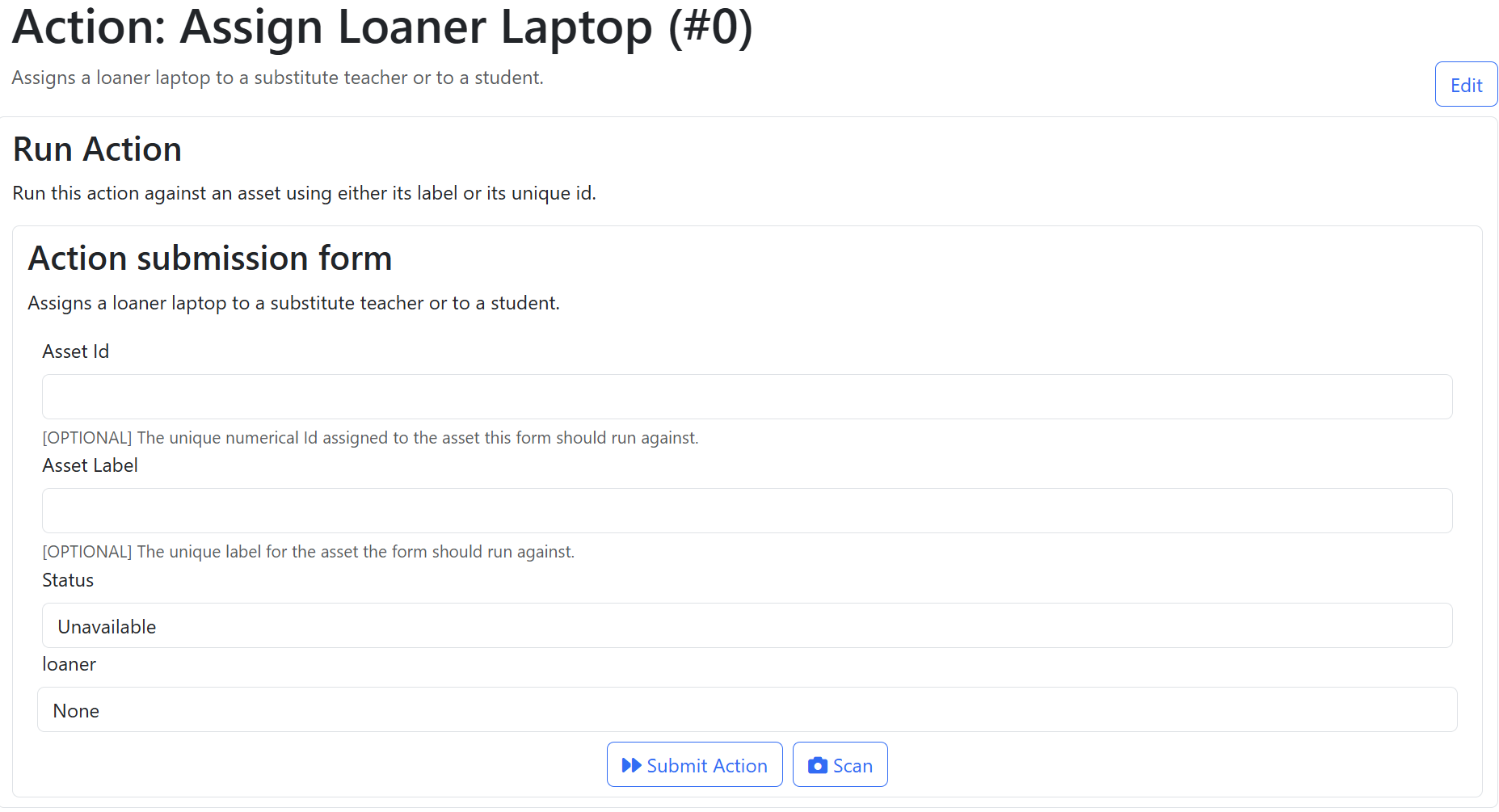
Actions are preconfigured, automated changes to the attributes of assets. Administrators create actions for highly repeated tasks, such as checking in or checking out items, or updating certain attributes. These actions can then be run by users using an asset's label. When using Assets from a phone, a barcodee or QR code resolving to the asset's label can also be used to complete an action.
Microsoft Entra SSO
You can easily allow users to use your Assets tenant by connecting Assets with an Application Registration within Microsoft Entra. Our documentation contains an article on how to do this 🔗.
Feature Requests
Lapine Studios is always invested in making our software better. Please use the 'Feedback' button at the top right of Assets to request features or submit bug reports. You can also email us at our contact emails, and we can get in touch to discuss your needs further!
Core Components 🧩
The core components of Assets are 'Assets', 'Inventories', 'Templates', and 'Actions'.
Assets Core Components
-
Assets
Describe a single object within your asset register. -
Inventories
A logical group of assets such as 'Marketing Resources', 'Tools', 'Lab-12-Assets'. -
Templates
Describe kinds or types of assets that you track. An asset is always an instance of a template. -
Actions
Preconfigured, automated changes to the asset register that users can run over an asset.
Assets
Assets 🔗 are the heart of the asset register within Assets. An asset is a singular digital or physical assets that can be tracked. Within Assets, each asset has a unique label allowing it to be tracked with barcodes and QRcodes. The following screenshot shows an asset page within Assets.
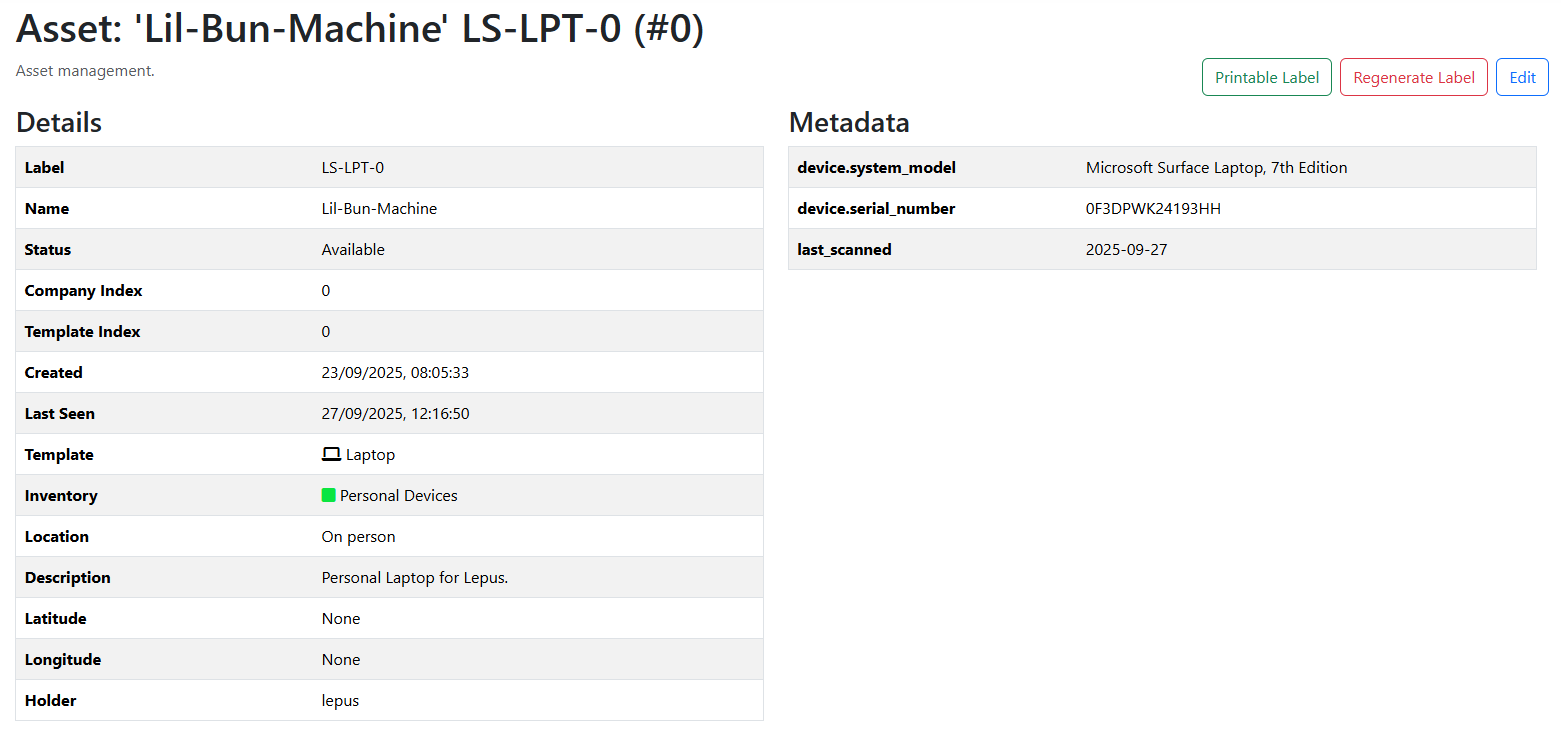
Asset Base Attributes
-
Label
A unique code to identify the asset. Always unique, and the primary way to identify assets. -
Status
A keyword to describe the state of the assets. Examples include 'Available', 'Unavailable', 'Deployed', 'Offline', etc. -
Friendly Name
A short identifier that can be useed to index assets. -
Description
A brief section of text to describe the asset. -
Location
A keyword to describe where the asset is located. -
Holder
An Assets user assigned as the custodian of the asset.